
YiziMarkdown
A beautiful yet powerful Markdown editor
Free, open-source Markdown editor for Windows & macOS — no install, 15 themes, live preview, presentation mode, WebDAV sync and AI-assisted writing.
- tags
- 效率工具浏览器扩展
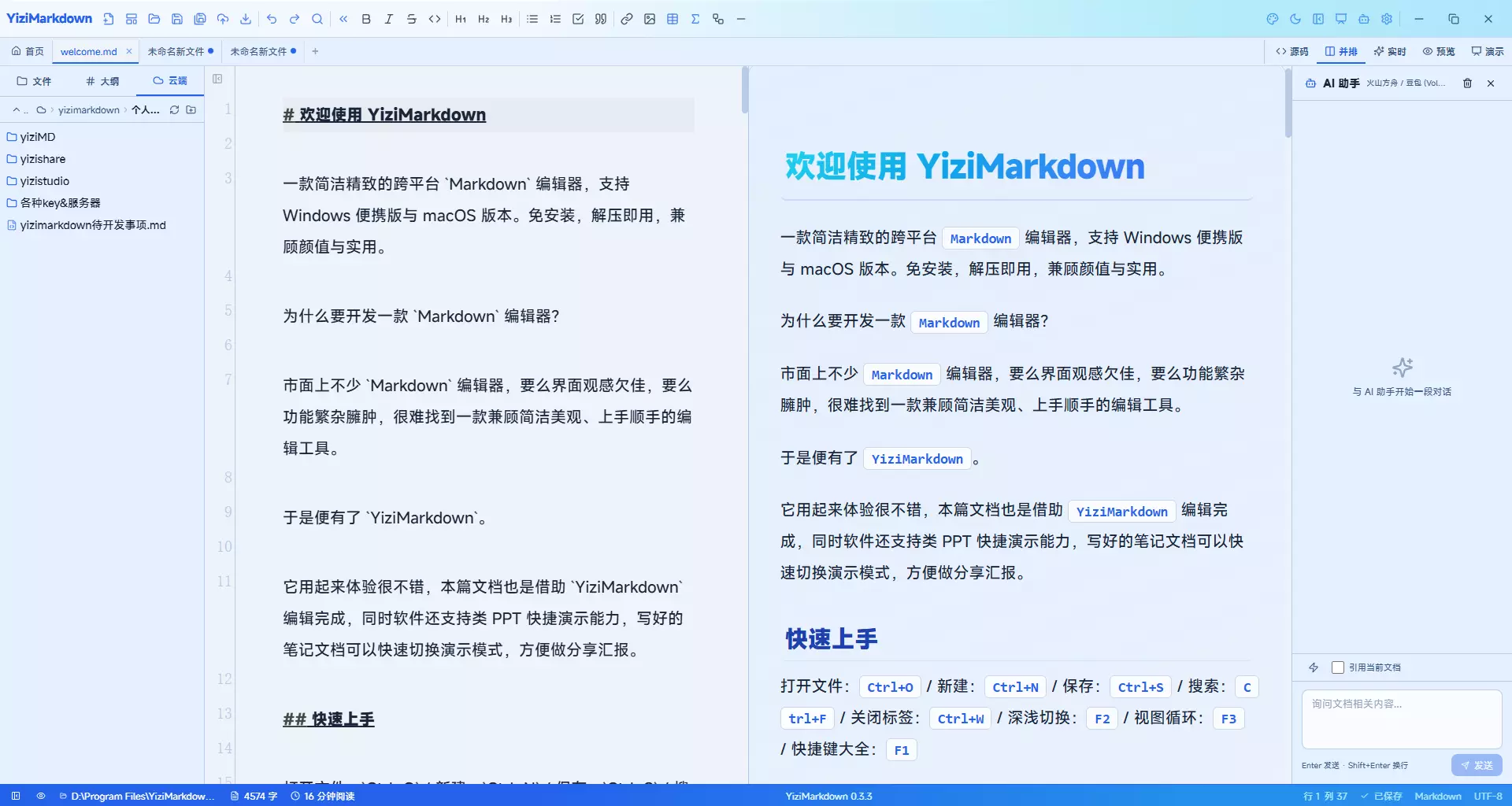
About
YiziMarkdown is a free, open-source Markdown editor for Windows and macOS — install-free and ready out of the box, bringing writing, preview, presenting and exporting into one elegant workspace.
Three Editing Modes
- Split preview: source on the left, live rendering on the right, with pixel-accurate sync scrolling
- WYSIWYG live mode: Markdown markers hide themselves until your cursor lands on them; tables become editable grids
- Plain text: a minimal writing environment that keeps you focused
One-Click Presenting
Turn plain Markdown into fullscreen slides: --- for page breaks, layout inferred from content structure (cover / section / data / roadmap), 12 transition animations, speaker notes and step-by-step reveals — your notes become a deck.
AI Enhanced
A side chat panel connects to 17 providers (OpenAI / Anthropic / Ollama or any custom endpoint). The selection assistant summarizes, polishes, translates and turns selected text into slides; built-in skills are freely extensible, and reasoning models show their thinking in collapsible blocks.
Export & Sync
- Export to PDF / Word (native DOCX semantics) / self-contained HTML, faithful to the preview
- WebDAV cloud browsing and one-click sync, images uploaded along with documents, ETag conflict protection
- Credentials stored in the OS keychain (Windows Credential Manager / macOS Keychain), never on disk
Themes & i18n
15+ themes (Liquid Glass, Cyberpunk, Lychee Red…) with full dark-mode coverage, plus custom CSS to craft your own; a lightweight i18n engine covers 15 interface languages out of the box.
Highlights
- ▸Three editing modes: split preview / WYSIWYG live mode / plain text
- ▸Presentation mode: Markdown to fullscreen slides with paging, layouts, animations and notes
- ▸AI panel: 17 providers, selection assistant and extensible skill system
- ▸Export to PDF / Word / HTML, faithful to the preview
- ▸WebDAV cloud sync: images uploaded with documents, ETag conflict protection
- ▸15+ themes × dark mode, custom CSS support
- ▸15 interface languages covered
- ▸Free & open source, install-free on Windows and macOS